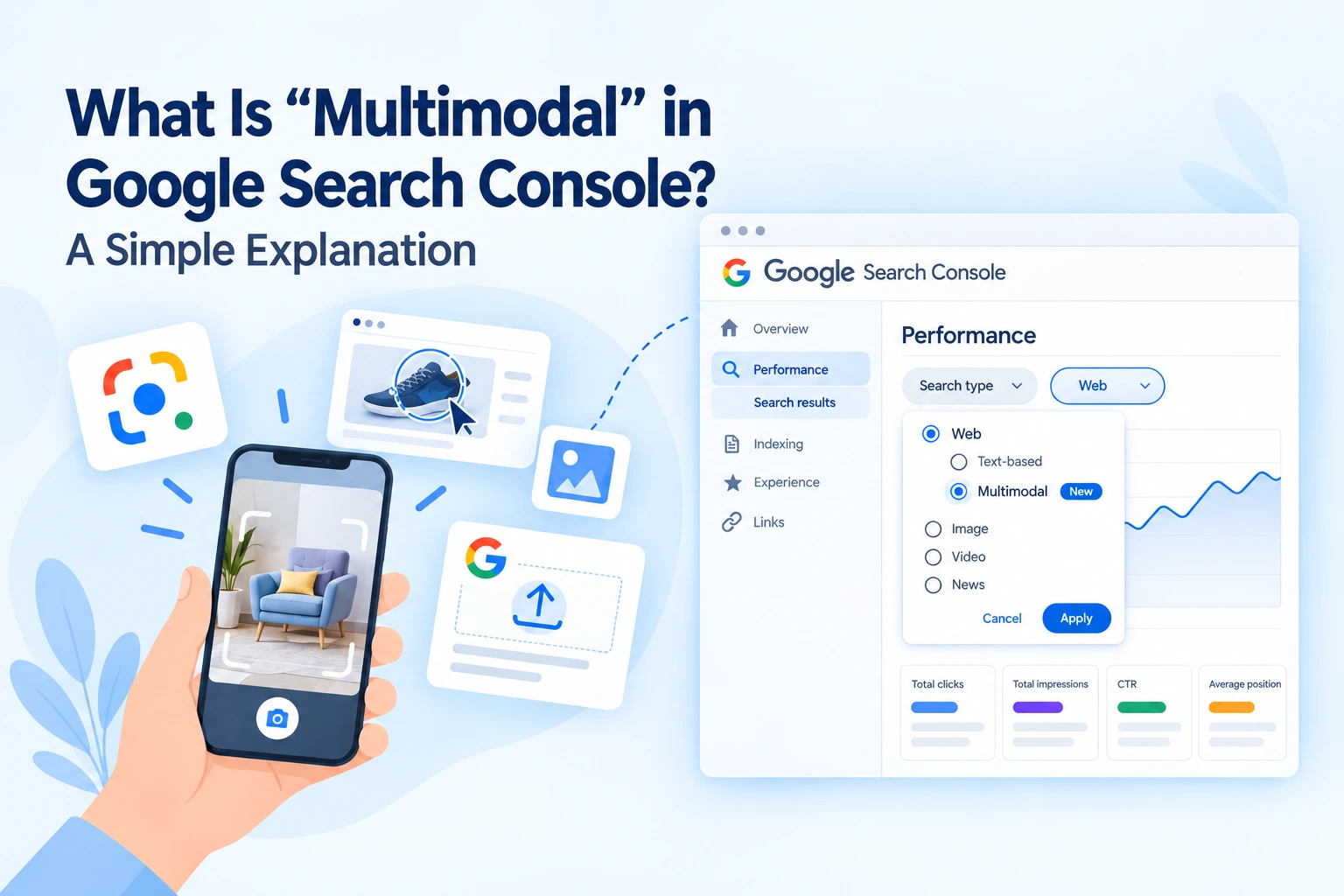
Not every search starts with typed words. Someone can point a phone at a sofa, circle a sneaker on a screen, or drop a screenshot into Google. Until now, Search Console had no clear way to show this traffic. Google changed that on 24 September 2026 by adding a multimodal option to the Performance report.
The Short Answer
Multimodal is a search type within Search Console’s Web filter. It tracks online results generated from a search that used an image, photo, or screenshot. Searches that only use text remain in the Text-based view. According to Google, this image-led activity was never counted in the report before
Which Searches Does It Capture?
- Google Lens — Search the world through your camera
- Circle to Search on Android
- Image uploads to Google Search
- Image search from Chrome right click “Search this image”
How to Find the Multimodal Filter
- Open Search Console and choose your property.
- Go to Performance → Search results.
- Click the Search type filter.
- Under Web, pick Multimodal.
If that option doesn’t exist, don’t stress. It’s a global rollout, but it’ll happen slowly and only show if your site gets relevant image-based traffic.
What the Report Shows, and What It Hides
Clicks, impressions, CTR, average position, pages, countries as well as devices and dates are visible. You can also export the data.
The one thing that you can’t see is the query. Google doesn’t provide query data for this search type, so the Queries tab isn’t available in this traffic. For now, the question shifts from “which keyword?” to “which page?”
Two details worth knowing:
- It is UI-first. There are reports the Search Analytics API isn’t listing a multimodal search type yet so export button is useful.
- Also found in the Generative AI report. Multimodal reporting is not confined to just the standard Search results view.
Multimodal vs The Image Search Type
People often mix these up. The image search type includes visits from Google Images. Multimodal describes how the search started: an image was part of the input. A shopper could take a photo to land on a product page in regular web results and that visit is part of multimodal, not Image. Have both views open, as they answer a different question.
Why Online Stores Should Care
Visual search suits shopping well, products, fashion, furniture, food and travel. Someone sees a lamp at a café and can locate your product page in moments. Lens now handles more than 25 billion queries a month, according to Google, so this behavior is already mainstream.
The new report includes what product and category pages are discovered visually when you run a store. A specialist ecommerce seo agency can turn that into a plan. Protect the winners, fix the near-misses, and copy the patterns that work.
Simple Ways to Get Ready
- Use sharp, original images. With clear product photographs from multiple angles, it makes it easier for Google to identify what the image is of.
- Use filenames and alt text that make sense. Use simple text to explain the item.
- Surround images with context. Nearby add text material, size, use and price
- Add structured data. Product markup helps eligible pages surface richer product details.
- Keep pages fast and mobile-friendly. Image search is done mainly on phones.
- Set a baseline now. Export your multimodal numbers now so you can measure growth later.
- Compare against text-based traffic. Identify visual visits, but weak text traffic pages and beef up their copy.
How Digital Upward Helps Brands Grow in the Age of Visual Search
Reading a report is easy. Knowing what to do next is harder. Digital Upward is a Delhi-based digital marketing team that follows a simple process: understand, analyze, respond. Starts with one-on-one conversation about your goals. Then it goes on deep research and competitor analysis, and finalizes it in a custom-made plan.
This works well with multimodal data. As a growing seo company in delhi ncr, Digital Upward can identify which pages draw image-based visitors, then optimize them using web design and development, faster mobile pages, & powerful on-page content. For online stores, the team works like a practical ecommerce seo agency, including product pages, category structure and images that Google can read. With your top-selling products then able to be boosted to additional customers through broader solutions like search engine marketing and social media marketing.
Final Thoughts
Multimodal reporting gives you the first official look at how pictures lead people to your site. There are no keywords, but you get pages, devices, and countries to act on. Look up your property today, set a baseline and start optimising the pages that are already appealing to visual searchers.
FAQs
Is multimodal the same as Google Images?
No. Image is a separate search type. Multimodal marks searches that began with an image.
Can I see which keywords brought visitors?
Google doesn’t provide query data for multimodal traffic.
Why can’t I see the filter?
It is rolling out gradually, and it needs qualifying traffic on your property.
Where do I find the multimodal report?
Go to Performance → Search results, open the Search type filter, and choose Multimodal under Web. It appears once your site has qualifying traffic.
Does it replace text-based reporting?
No. Use both views together for the full picture.
Is multimodal the same as Google Images traffic?
No. The Image search type covers visits from Google Images. Multimodal covers web searches where an image started the search.
 What Is "Multimodal" in Google Search Console? A Simple Explanation
 Digital Marketing Agency for Education: Building a Better Student Acquisition Strategy
 ChatGPT Now Has Ads: Here's What That Means for Your Business
 Why Local Customers Need More Than a Google Ranking
 Why Website Architecture Matters More Than Visual Design