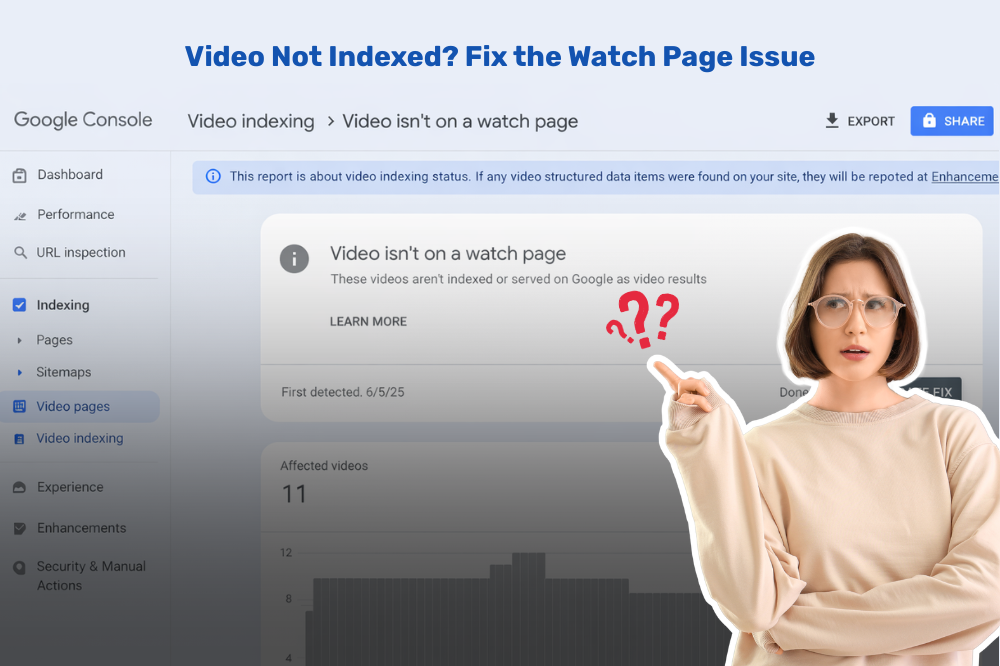
If you are doing video SEO, you might have run into the annoying error: “Video isn’t on a watch page” in Google Search Console. But it can prevent your videos from showing up in searches, which means lost visibility and traffic, the whole reason for being.
In this guide, we will explain in simple words what does this error signifies, the reason why video is not indexed properly and how you can fix this step by step in an easy to implement method.
What Does “Video Isn’t on a Watch Page” Mean?
A watch page is where the main content of a web page is a video. When Googlebot crawls your page, it assumes that the video is the central content. If it does find that the video is hidden, secondary, or difficult to access, you could get search console video errors like this.
In simple terms, Google is saying:
👉 “I discovered a video, but that page doesn’t seem like a proper video page.
Why This Error Happens
Before fixing the issue, it’s important to understand the common causes behind it:
1. Video Is Not the Main Content
If your page has too much text, ads, or other elements, Google may not treat the video as the primary content.
2. Video Is Hidden or Hard to Find
If users need to click multiple buttons or scroll too much to see the video, Google may ignore it.
3. Incorrect Video Embedding
Improper embedding can prevent Google from recognizing your video correctly.
4. Missing Structured Data
Not using add video schema markup can make it harder for Google to understand your video.
5. Blocked Video Resources
If your video files or thumbnails are blocked by robots.txt, indexing issues can occur.
How to Fix Video Indexing Issue
Let’s go through actionable steps to resolve this error and improve your video visibility.
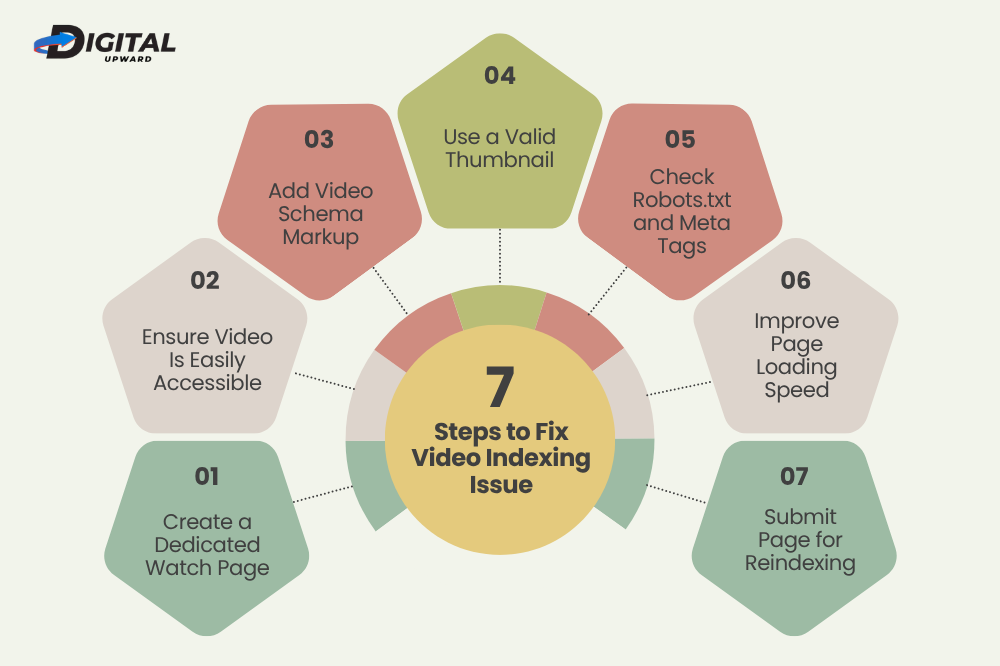
1. Create a Dedicated Watch Page
Make sure each video has its own page where it is the main focus.
✔ Place the video at the top of the page
✔ Avoid clutter around it
✔ Keep supporting text minimal but useful
This helps Google clearly understand that your page is meant for video consumption.
2. Ensure Video Is Easily Accessible
Your video should load instantly when the page opens.
❌ Avoid:
- Click-to-play overlays that hide the video
- Tabs or pop-ups for video display
✔ Instead:
- Embed the video directly
- Make it visible without interaction
This improves both user experience and indexing.
3. Add Video Schema Markup
One of the most effective ways to fix this issue is to add video schema markup.
Schema markup provides structured information like:
- Video title
- Description
- Thumbnail URL
- Upload date
- Duration
This helps Google better understand your content and reduces search console video errors.
4. Use a Valid Thumbnail
Google relies heavily on thumbnails.
✔ Make sure:
- Thumbnail is accessible (not blocked)
- It is high quality
- It matches the video content
A missing or broken thumbnail can lead to indexing problems.
5. Check Robots.txt and Meta Tags
Sometimes, the issue is technical.
✔ Ensure:
- Video files are not blocked
- No “noindex” tag is applied to the page
- JavaScript is not preventing video rendering
This step is crucial when trying fix indexing issues in Google Search Console.
6. Improve Page Loading Speed
Slow-loading pages can affect how Google crawls your video.
✔ Optimize:
- Video hosting (use CDN if possible)
- Image sizes
- Scripts and plugins
Faster pages increase the chances of proper indexing.
7. Submit Page for Reindexing
After making changes:
- 1. Go to Google Search Console
- 2. Use URL Inspection Tool
- 3. Click “Request Indexing”
This tells Google to recheck your page and update its status.
Best Practices for Video SEO
You can avoid this problem moving forward with these simple best practices:
- Make a separate page per video
- Use structured data consistently
- Make video a part of the narrative
- Avoid unnecessary distractions
- Search console video errors have to be monitored regularly
Whether you are handling multiple projects or just a couple an authentic seo company in gurgaon will make your video SEO strategy aligned and error-free.
Digital Upward Fixing Your Video SEO Issues
Experts make a valuable difference in tackling technical SEO hurdles such as why video not indexed. Digital Upward, Noida’s premier digital marketing agency caters to such problems with a result-oriented mindset.
They thoroughly examine every component of your website:
- Video placement and structure
- Schema implementation
- Technical SEO errors
- Page performance and indexing signals
Digital Upward, as a trusted seo company in gurgaon, makes sure that your videos are not only uploaded but also properly optimized for search engines. Instead of guesswork, they use data-backed strategies to decipher how to fix video indexing issue and increase your chances of ranking in video search results.
But they shine in their attention to detail. From the appearance of video snippets in searches as a result of proper add video schema markup to fixing complex search console errors for videos, they emphasize measurable changes in both visibility and traffic
Final Thoughts
The “Video isn’t on a watch page” error may sound technical when you hear it first, but it is caused most of the time by simple structural or technical issues. You can fix it simply by making sure that your video is the center of attention, available for everyone to understand and properly marked up.
Slaying these errors helps in better indexing but also increases your chances of ranking in video search results, bringing more organic traffic to your site.
 Digital Marketing Agency for Education: Building a Better Student Acquisition Strategy
 ChatGPT Now Has Ads: Here's What That Means for Your Business
 Why Local Customers Need More Than a Google Ranking
 Why Website Architecture Matters More Than Visual Design
 The Search-to-Sales Gap: What Delhi Businesses Should Fix Before Spending More on Digital Marketing