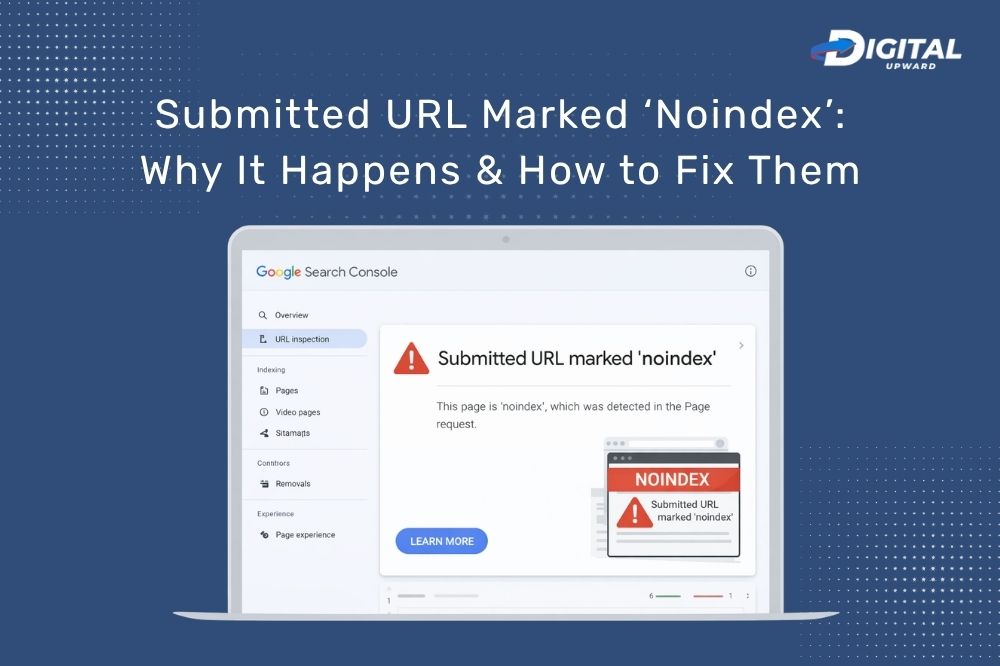
If you have ever checked your website performance in Google Search Console and found a warning “Submitted URL marked ‘no index’, it can seem confusing — particularly when you actually want that page to show up in search results. Don’t worry, this is a common issue in the world of search engine optimization (SEO), and the good news is—it’s fixable. Whether you manage your website yourself or work with professionals offering search engine optimization services in Delhi, understanding this issue is important for improving your site’s visibility
This guide will let you know what this error means, why it happens, and how you can fix it step-by-step in the most real way possible.
What does “Submitted URL Marked ‘Noindex’” mean?
This message shows up when you submit a page to Google (through sitemap or manually), but that same page is saying to search engines, “Do not index me.”
In simple words:
- You are requesting Google to index the page
- But your page is also telling: “Please don’t index me”
That creates a conflict, and Google decides to honour the noindex directive (to not show your page in searches).
Why Does This Issue Happen?
There are a couple of reasons a URL may be set to noindex, sometimes on purpose and sometimes by accident.
-
Incorrect Robots Meta Settings
It can have a noindex tag line in its HTML code. This usually looks like:
This tag is often left on many pages, by webmasters when they are developing or testing a site.
-
CMS or Plugin Settings
If you are on platforms like WordPress, Wix or similar, some of the SEO plugins or settings may automatically add a noindex tag.
For example:
- Draft pages
- Thank-you pages
- Admin or duplicate content pages
-
Blocking via robots.txt File
The problem is sometimes in your robots. txt file that specifies how search engines crawl your site.
If your robots.txt blocks a page and it also has a noindex tag, Google may still report it as “Submitted URL marked noindex.”
-
Intentional Noindex (But Submitted by Mistake)
You would have marked a page noindex on purpose (like a private or duplicate page), but still had it in your sitemap.
This mismatch triggers the error.
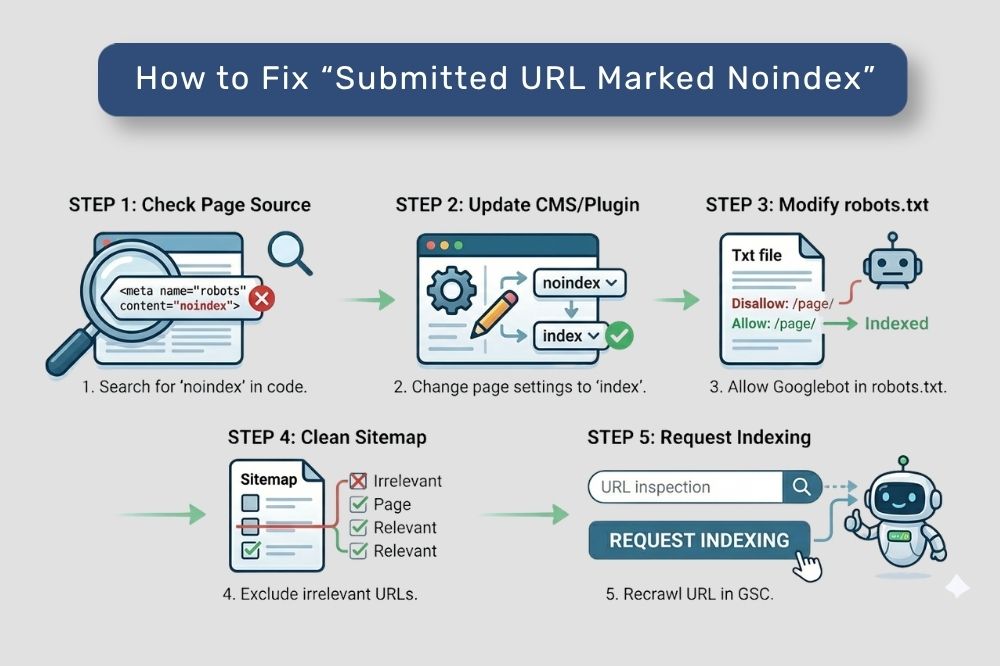
How to Fix “Submitted URL Marked Noindex”
Now let’s detail the practical fixes. No advanced technical skills necessary — just follow these steps.
Step 1: Check the Page’s Meta Tag
Open your page source (right-click → View Page Source) and search for:
noindex
If you find it, ask yourself:
- Do I want this page to rank?
If yes, then you should remove noindex meta tag.
Step 2: Update Robots Meta Settings
If your CMS or SEO plugin is in control of indexing:
- Go to page settings
- Look for robots meta settings
- Change “noindex” to “index”
Save the changes and publish.
Step 3: Modify robots.txt File
Check your robots. txt file (usually at: yourdomain.com/robots.txt)
Look for lines like:
Disallow: /your-page/
If the page must be indexed:
- Remove or adjust that rule
- Ensure that Googlebot can crawl this page correctly
Step 4: Exclude irrelevant URLs from the Sitemap
If a page is intentionally declared as noindex:
- Exclude it from your sitemap
This maintains a clean SEO, and prevents confusion.
Step 5: Request Recrawling in GSC
Once you have made the changes, head back to Google Search Console and:
- Use the URL Inspection Tool
- Click “Request Indexing”
It allows Google to check your page again more rapidly.
Best Practices to Prevent This Issue
These simple habits will help you prevent this problem in the future:
- Check indexing settings before publication
- Don’t submit noindex pages in your sitemap
- Use an SEO tool to audit your website regularly
- A clean and up to date technical SEO
Why this matters for SEO and how to fix it
If important pages remain noindexed:
- They will not show up in search results
- Your organic traffic will drop
- SEO efforts will not yield results
And this is often why search engine optimization services in Delhi will work on addressing indexing issues as their first steps.
The best digital marketing agency should always audit your indexing status and make sure only the right pages are accessible for search engines.
Pro Tip: Avoid Taking Coverage Reports for Granted
Your index coverage report in Google Search Console is like a health report for your website.
Check it regularly to:
- Spot errors early
- Fix indexing issues quickly
- Improve your overall SEO performance
Just like website pages, videos need to be properly indexed for appearing in the search results. If your video content is not appearing, then read our guide: Video Isn’t on a Watch Page(which explains exactly why this occurs and how to easily rectify failure).
How Digital Upward Fixes Indexing Issues For You
At Digital Upward, we systematically analyze every detail of your SEO to guarantee that your website operates in top form. Whether it is fixing technical errors such as “Submitted URL marked noindex” or optimizing your overall site structure, the team works on every aspect that influences your visibility.
Digital Upward as a best digital marketing agency; they will do more than repair—rather, they stop the problem. They also ensure that the robots meta settings, sitemap structure, and crawling behavior on your website have been thoroughly reviewed to support correct access and indexing of all critical pages by search engines.
SEO services in Delhi are popular among businesses seeking results-driven solutions for search engine optimization, and Digital Upward is a trusted name in the industry. Be it fixing indexing issues, boosting rankings, or enhancing organic traffic – their strategies promise to drive tangible growth.
Using the right combination of technical know-how and actionable SEO practices, Digital Upward guarantees your site gets indexed properly—and then puts you in a strong position to succeed based on those index results.
Final Thoughts
The “Submitted URL marked noindex” error may seem technical, but it is more simple than you might think if you know the cause.
Just remember:
- Check that source of the noindex
- Fix the settings
- Request recrawl in GSC
With consistent monitoring and the right SEO approach, you can ensure your important pages get the visibility they deserve.
If managing these technical aspects feels overwhelming, working with experts in search engine optimization services in Delhi can save time and deliver better results.
 Submitted URL Marked ‘Noindex’: Why It Happens & How to Fix Them
 Soft 404 Errors: Causes, Fixes, and Prevention
 Discovered – Currently Not Indexed: Understanding and Resolving
 Crawled – Currently Not Indexed: What It Means & How to Resolve It
 Page Not Indexed: Common Causes and Solutions