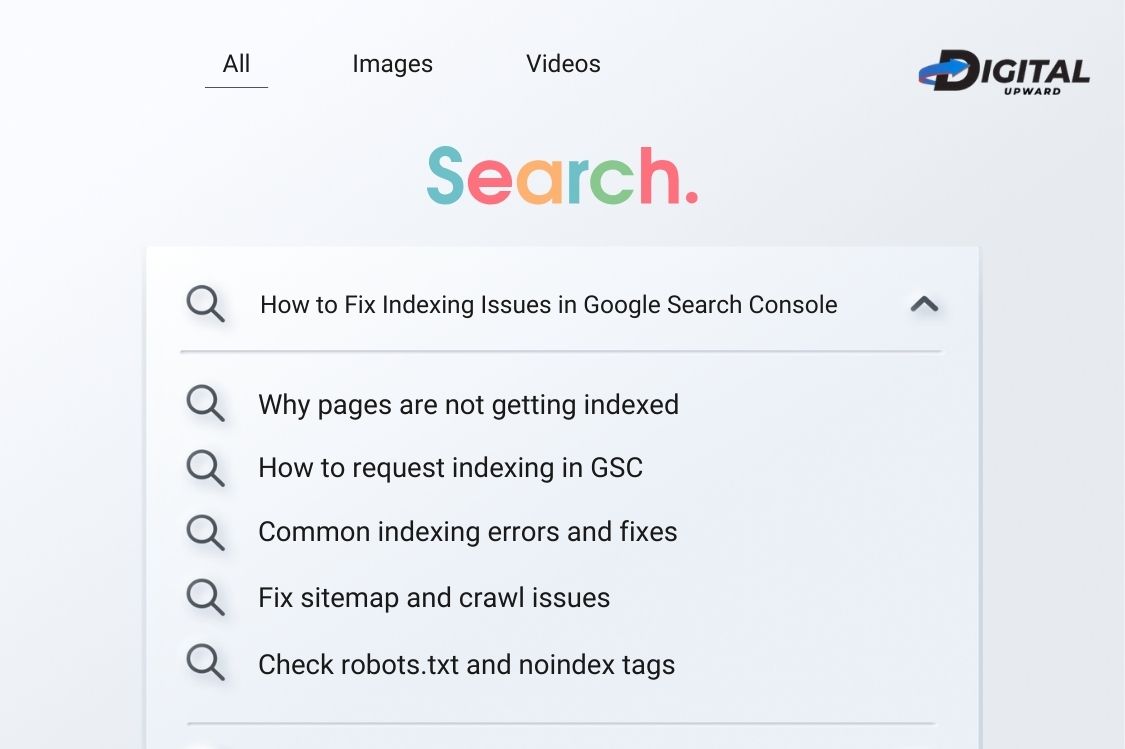
Your website pages must be indexed by Google for online visibility. Without proper indexing your content will not show up in search results, no matter how great it may be. In 2006, Google’s indexing system became more sophisticated but indexing issues still afflict many websites. This guide will help identify and fix basic indexing problems using Google Search Console.
Indexing Problems Explained
Indexing issues arise when Google can’t, or won’t, add your pages to its search index. These might prevent potential clients from ever finding your web site through search engines. Digital Upward has helped many businesses to clear up challenging index problems that were stealing their hard-won organic search traffic away from them.
Use Google Search Console to pinpoint these difficulties. It will tell you exactly which pages did not get indexed and why. The first step in dealing with an index problem is understanding the cause arguments.
Checking Your Indexing Reports
Log in to Google Search Console and click “Indexing,” then “Pages.” This report shows you how many pages are indexed along with those that are not indexed. It states the various reasons why pages are not indexed. Click on any problem to see exactly which URLs are involved.
In 2026, the interface groups issues into clear categories: “Discovered – currently not indexed,” “Crawled – currently not indexed,” and “Page with redirect.” Each category requires a different fix. Refer to the report for more detailed remedies and click on particular items to get further guidance. So make it a habit to check this report weekly. Indexing problems that you don’t pay attention to at once turn into problems which are harder to fix later on and which will cost you more money in terms of traffic lost.
Fixing Crawl Budget Problems
Large websites often hit crawl budget limits. Google can only crawl a certain number of pages per day. If Google uses crawl budget to crawl the unimportant pages, then your truly valuable content gets ignored. Remove or noindex low-value pages like tag archives, filtered products, or outdated content. Use your robots.txt file to prevent Google from wasting time on admin or search result pages. For businesses working with an SEO company in Delhi NCR, this optimization will showcase a significant improvement in the indexing of important pages.
Fixing Google’s Blocked by Robots.txt Errors
If you are getting the “Blocked by robots.txt” error, then this implies that your robots.txt file is preventing Google Bots from visiting these particular pages. This is sometimes deliberate and often done unintentionally resulting in unwanted consequences.
Point at yourwebsites/robots.txt on the browser to check the contents of thi page. Look for “Disallow” directives that are keeping Google from indexing pages. Examples of bad judgment include locking out entire directories containing all the good content or misusing wildcards.
Use the URL inspection tool in Google Search Console to check any robots.txt changes you’ve made before you deploy them. An error as small as a misplaced comma will prevent your entire site from being crawled. If you are not comfortable changing this file yourself, get hold of company professionals providing expert digital marketing services and has to deal with these problems on a regular basis.
Handling Soft 404 Errors
Soft 404 errors happen when your page gives a 200 OK status but its actual content you’re seeing is error content or few.
Google views these as practically empty pages, so it won’t index them.
Check the flagged URLs to see what content appears. If the pages have no content on them at all, either delete them and return proper 404 errors, or add significant content. Product pages that are out of stock often cause soft 404 errors. Add temporary content explaining when products return, suggest alternatives, or remove pages until stock replenishes.
Fixing Duplicate Content Issues
Google will never index multiple pages with similar content. Probable sources for duplicacy include HTTP and HTTPS versions,WWW and non-WWW versions, multiple product URLs, session IDs, and printer-friendly pages.
Let Google know what our preferred version is using canonical tags. Rechannel duplicate URLs with 301 redirects. For URL parameters, turn to the URL Parameters tool in Search Console. Many companies looking for a digital marketing company in Delhi specifically look for help in solving these kinds of technical SEO problems.
Addressing “Discovered – Currently Not Indexed”
This means Google has found your page, but has not yet indexed it. On new sites or lower-priority pages, this is quite usual. Upgrade your page quality with complete content, higher resolution images, and reflect clear value into your words. Create internal links from pages that are already indexed by Google. In this way, you can indicate the importance of your own page. Submit URLs to the URL Inspection tool in Search Console for indexing. If possible, focus on link building around these pages.
Tackling Page Speed and Mobile Problems
In 2026, the indexing rate of Google will decrease for slow pages or for pages with poor mobile experience.
Look for bottlenecks with PageSpeed Insights. Compress images, minimize JavaScript, turn on browser caching, and consider using a CDN. Employ Google’s Mobile-Friendly Test tool to test pages. Fix layout problems, ensure that text doesn’t require excessive zooming or is unreadable, and have properly sized tap targets. Google will use your mobile version for the final indexing under mobile-first indexing.
Solving Redirect Chains and Loops
A redirect chain (URL A→B→C) slows down crawling and prevents indexing. A redirect loop shuts down indexing altogether.
Check your redirects using Screaming Frog or similar tools. Break these chains by pointing your old URLs at their final destinations. Fix all loops right away as they will give you crawling errors that may spoil all webpages on your site. As far as possible, reduce the number of jumps your redirects make.
Monitoring Sitemap Submission
Your XML sitemap helps Google find important pages. In the “Sitemaps” section of Search Console, check that your sitemap is submitted and error-free.
Get rid of URLs like login and admin pages. You should only put your finest stuff into the sitemap. Update the sitemap when you have new material uploaded. Businesses which have their own local seo services often need location specific sitemaps for multi-location domains with multiple sites.
Regular Maintenance as well as Monitoring
Fixing indexing issues isn’t something that you do just once. In Search Console, establish email alerts so that when new coverage problems arise, they will be detected right away. Keep an eye on indexing reports at least once a month to avoid serious consequences.
Create a checklist for new content covering every aspect from robots.txt to proper canonicals to mobile friendliness and submit URLs for indexing.
Final Thoughts and Next Steps
Dealing with indexing issues is an important task as it will seriously affect the ability of your web site to be seen and the prospect for growth in business. Analysing Google Search Console reports and resolving errors in every possible way will ensure that your key content finds its intended audience.
Digital Upward focuses on solving complex indexing issues as well as providing result-oriented digital marketing strategy. Our team is constantly aware of Google’s ever-changing algorithms to keep your site performance at peak.
Still using pages which won’t get indexed? Look forward to our next piece, Why Pages Aren’t Indexed, which will go into deeper causes and advanced troubleshooting methods for stubborn indexing problems.
Consistent monitoring and taking immediate action when problems arise will maintain the health of your site, so it remains visible in today’s competitive search landscape.
 Submitted URL Marked ‘Noindex’: Why It Happens & How to Fix Them
 Soft 404 Errors: Causes, Fixes, and Prevention
 Discovered – Currently Not Indexed: Understanding and Resolving
 Crawled – Currently Not Indexed: What It Means & How to Resolve It
 Page Not Indexed: Common Causes and Solutions