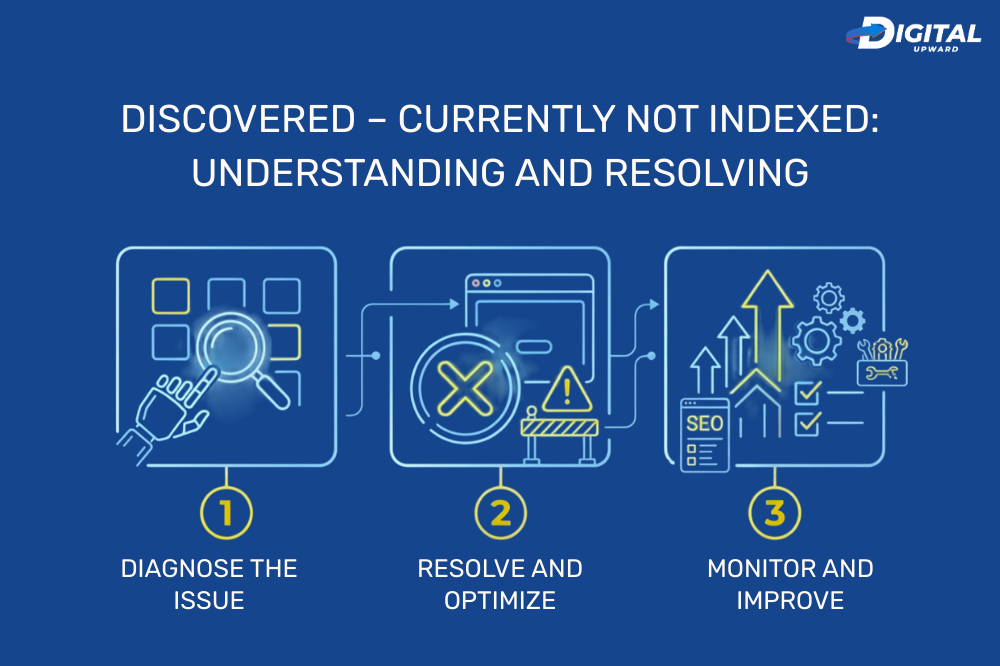
If you are working with SEO, one of the most confusing messages that you will encounter in Google Search Console is “Discovered – Currently Not Indexed.” When a website owner finds this status, they panic because their page is not appearing on Google search results.
However, this problem is not as rare as you might expect and usually simpler to solve with the right approach. In this guide, we’ll cover what does the status mean, why does it happen and how can you successfully fix it applying proven SEO strategies.
What Is “Discovered – Not Indexed”?
“Discovered – Currently Not Indexed” means your URL has been found by Google, but the page hadn’t yet been crawled. In other words, Google is aware of the page but hasn’t crawled — and indexed — its content
Before your page will display in search results, Google has a three-part process:
- Discovery — The URL is crawled by Google through links or sitemaps.
- Crawling – Googlebot visits the page and accesses what is on it.
- Indexing — In this step the page is stored in Google’s search database.
If you are stuck at Discovered stage, then the crawling process has not taken place.
For most websites, though, this is just temporary. But if it continues for weeks, that can point toward technical or content-related problems.
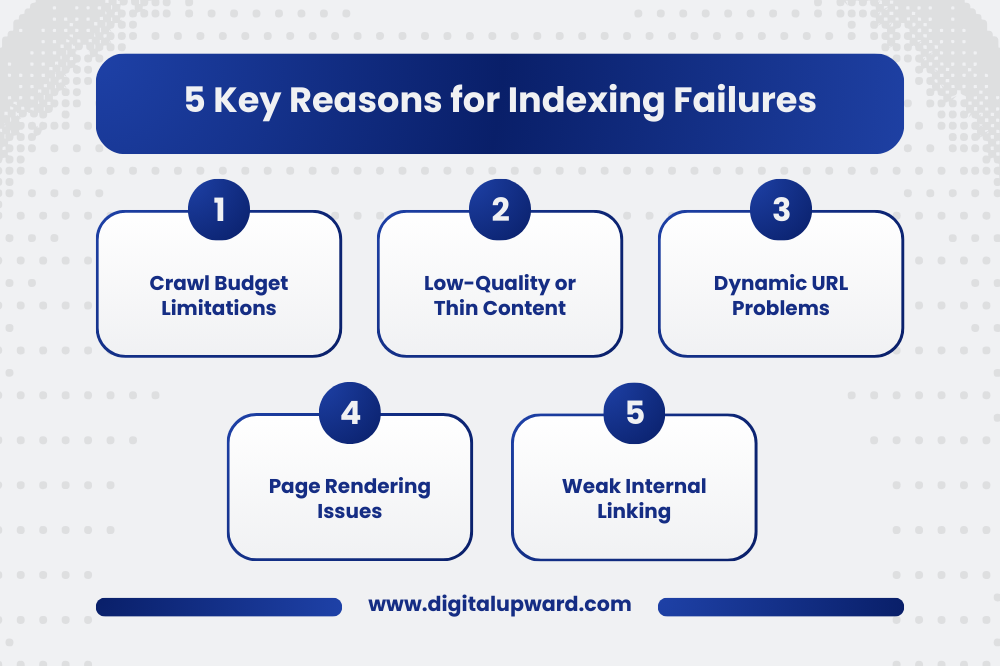
Why Pages Remain in “Discovered — Currently Not Indexed
There are many SEO and technical aspects which could limit Google’s access to your page. Knowing these causes helps you come up with the right solution.
-
Crawl Budget Limitations
On large sites, Google does not crawl every page instantly. Google might delay the crawling of some URLs to prevent server overload error if your site has a huge volume of pages with inefficient structures.
This is mostly happening for those websites having blog category pages being designed over it and e commerce website design structure which results into multiple URLs.
-
Low-Quality or Thin Content
Pages that aren’t crawled much and are de-indexed hold little value, or ones with duplicate content.
Examples include:
- Thin blog posts
- Duplicate service pages
- Automatically generated content
Search engines tend to show pages that provide informative and original data for the users.
-
Dynamic URL Problems
Search engines are easily confused by dynamic parameters and messy URLs.
Examples:
- URLs with tracking parameters
- Multiple variants of the same page
- Filter-based product pages
These dynamic url problems generate needless URLs that eat up crawl budget.
-
Page Rendering Issues
Sometimes Googlebot cannot properly render the page because of technical problems such as:
- JavaScript-heavy layouts
- Slow loading pages
- Broken scripts or blocked resources
These page rendering problems, in turn, can prevent Google from reaching the content effectively.
-
Weak Internal Linking
The reason is that a lot of pages are discovered through internal links by Google. If your page is deep in the website structure with few links pointing to it, Google may not prioritize it.
An effective internal linking structure helps with your content discoverability and crawl efficiency.
How to Correct “Discovered – Not currently indexed”
If a lot of your important pages are stuck in this status, you should do something. Here are a few effective methods SEO experts use to resolve the problem.
-
Inspect with Google Search Console
The first place that you should check is URL Inspection in Google Search Console.
This helps you understand:
- Whether Google can crawl the page
- The last crawl attempt
- Indexing eligibility
This is the search console insights data to check if this problem is technical or content related.
If it all checks out, click “Request Indexing,” which pushes the page to the top of Google’s priority crawl queue.
-
Improve Content Quality
Meaningful pages are prioritized by Google.
To increase indexing chances:
- Add in-depth explanations
- Include helpful examples
- Use structured headings
- Avoid duplicate content
If you have good content on your page — Google will know that it deserves to be indexed.
-
Optimize Internal Linking
Make sure important pages are linked from:
- The homepage
- Blog posts
- Category pages
- Navigation menus
Internal Links Help Google Find Pages — and Understand Their Importance
-
Fix Technical SEO Problems
Conduct a technical SEO audit that reveals problems such as:
- Page rendering issues
- Broken resources
- Slow server response
- Robots.txt restrictions
Resolving these issues corrects GSC indexing errors while also optimising crawls.
-
Clean Up Low-Value URLs
You do not want many unnecessary URLs because Google is wasting a crawl budget on them if you have those crawling your site.
Consider:
- Removing duplicate pages
- Consolidating similar content
- Fixing dynamic URL problems
It also helps search engines prioritize your most important pages.
-
Strengthen Website Authority
Faster page crawling on authoritative websites.
You can improve authority by:
- Publishing valuable blog content
- Building quality backlinks
- The specialization niche seo services
- Maintaining consistent internal linking
Signals of authority encourage more frequent crawling and indexing of your pages by Google.
How to Avoid Future Indexing Problems
Preventing indexing problems is easier than fixing them later. Let’s look at some key long-term SEO practices:
- Submit updated XML sitemaps regularly
- Maintain clear website architecture
- Avoid unnecessary URL variations
- Watch for indexing reports in Google Search Console
- Conduct technical SEO audits periodically
These practices help keep sites healthy, making it easier for Google to crawl pages.
If you are having any issues with indexing, then also you might face Soft 404 pages when Google thinks that the page adds very little or no value.
Read our Next Page Blog Link – soft 404 errors guide to find out how this affects your SEO and how you can resolve the issue. Here’s what you need to know about common causes and how to avoid them.
Why You Should Consider Digital Upward For Better SEO Results
At Digital Upward we understand that proper indexing is critical to your website. We do it all, from page rendering issues to dynamic URL and site structure work.
From e commerce website design optimization to local seo services for visibility; Digital Upward takes into account all the important factors while executing SEO strategies for its clients to get them better and suitable results.
Struggling with indexing or any other kind of SEO issues? SEO specialist can manage your website with Our Result Driven Approach.
Final Thoughts
“Discovered – Currently Not Indexed” status isn’t always a critical issue. In a lot of cases, Google just hasn’t crawled the page. But if the problem sticks around for a while, it can be an indication of larger SEO or technical issues with your site.
Working on content quality, correcting technical issues, enhancing internal links and using Google Search Console data to enable indexing will greatly improve the possibility of your pages being indexed.
Bear in mind, if you have not indexed, then there is no ranking. If Google is unable to crawl your pages then they cannot appear in search results — consequently, fixing these issues should always be an early priority for your overall SEO strategy.
 Discovered – Currently Not Indexed: Understanding and Resolving
 Crawled – Currently Not Indexed: What It Means & How to Resolve It
 Page Not Indexed: Common Causes and Solutions
 How to Fix Indexing Issues in Google Search Console
 Keyword Research Hacks: Find Keywords Your Competitors Missed